









Mobile apps now carry banking, healthcare, payment, and workforce data on devices that organizations neither own nor control. Development teams ship updates every few weeks to meet user demand, and each release adds new code, third-party libraries, and API connections that need review.
Attackers benefit from this pace because the app binary sits on their own device, which lets them inspect it, modify it, and watch its traffic without alerting anyone. This guide explains what mobile app security covers, which flaws appear most often, and how testers find them, so that security leaders can plan testing programs with clear priorities.
This article explores what is mobile app security, common flaws associated with it, and how to find them.
What Is Mobile App Security?
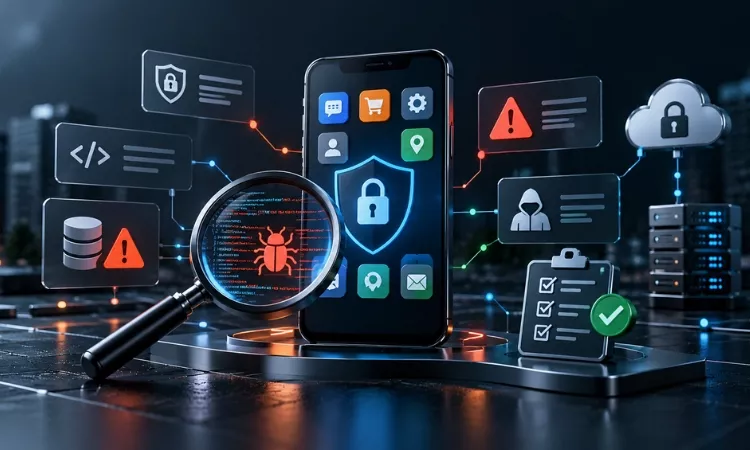
Mobile app security is the practice of protecting Android and iOS applications, their data, and their backend services from unauthorized access, tampering, and misuse. It covers secure coding, local data storage, authentication, network communication, and the APIs that the app calls.
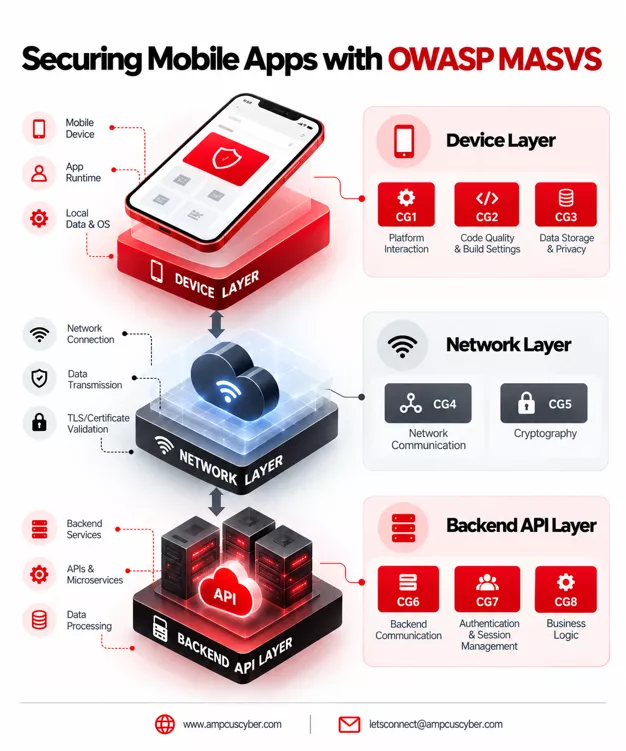
It matters for enterprises because one flawed app can expose customer records, break compliance commitments, and damage brand trust at the same time. Regulations such as PCI DSS and HIPAA expect organizations to test applications that handle payment or health data. The OWASP MASVS standard gives teams a common reference by grouping requirements into storage, cryptography, authentication, network, platform interaction, code quality, resilience, and privacy.
Which Common Mobile App Security Flaws Do Attackers Exploit Most?
The most common flaws follow the OWASP Mobile Top 10 for 2024, which lists improper credential usage, inadequate supply chain security, insecure authentication and authorization, and insufficient input and output validation among its top risks. The same list includes insecure communication, inadequate privacy controls, insufficient binary protections, security misconfiguration, insecure data storage, and insufficient cryptography. In our application assessments, we most often see API keys hardcoded inside app packages, session tokens saved in plain text on the device, and weak server checks that let one user read another user’s records.
Third-party SDKs add further exposure because a vulnerable library inherits the same permissions as the app itself. Teams that already track vendor exposure can extend that discipline to app dependencies through supply chain risk management.
Where Do Mobile App Vulnerabilities Usually Hide?
Mobile app vulnerabilities usually hide in three places, which are the app on the device, the network path, and the backend services. On the device, flaws appear in local storage, logs, backups, and exported components that other apps on the phone can call. On the network path, weak TLS settings or missing certificate validation allow attackers on shared Wi-Fi to intercept data in transit. In the backend, broken object-level authorization and unprotected API endpoints often cause the most serious exposure, because a single server flaw affects every user of the app. Testing only the client application therefore gives security leaders a partial view of their real risk. A banking app, for example, may store tokens safely on the phone and still expose account data through an API that skips ownership checks.
How Do Security Testers Find Mobile App Vulnerabilities?
Testers find mobile app vulnerabilities by combining static analysis, dynamic analysis, and manual penetration testing. A typical engagement follows five steps, which are scoping and threat modelling, static review, dynamic testing, API testing, and reporting with a retest.
Static analysis examines the decompiled app and its configuration files for hardcoded secrets, excessive permissions, and risky code patterns, and tools such as MobSF and jadx support this work. Dynamic analysis runs the app on a rooted or jailbroken device or an emulator, where testers use Frida to hook functions at runtime and Burp Suite to intercept traffic between the app and its servers.
Manual testing then validates business logic, such as whether a user can change an order amount or skip a step-up authentication prompt. The OWASP Mobile Application Security Testing Guide documents these techniques for both Android and iOS platforms. Automated scanners find known patterns quickly, while experienced testers find the logic flaws that scanners miss.
Why Is Mobile App Security Testing Important For Compliance And Risk Management?
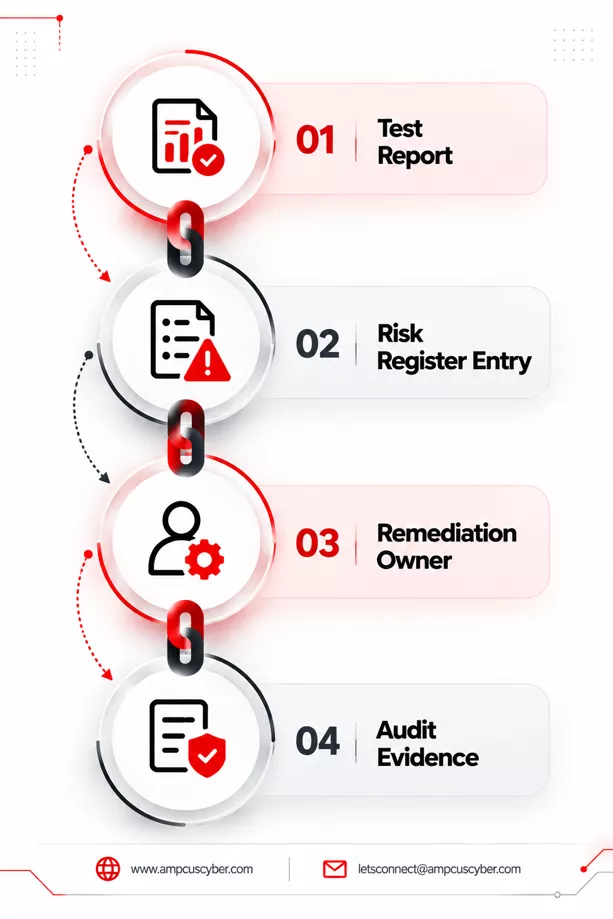
Mobile app security testing matters because it turns unknown weaknesses into documented, fixable findings before attackers or auditors discover them. A tested app supports PCI DSS, HIPAA, and ISO 27001 evidence requests with dated reports and retest results. Boards and regulators also expect leaders to show how application risk is measured and reduced. Without testing, a team cannot say which apps hold sensitive data, which flaws are exploitable, or how fast fixes reach production. Testing results feed directly into risk assessment and management programs, where each finding receives a severity, an owner, and a deadline.
Who Should Own Mobile App Security Testing In An Enterprise?
The CISO should own the testing policy, while product and engineering teams own remediation and the security function runs or commissions the tests. Governance leaders set risk thresholds, decide which apps need annual or release-based testing, and track every finding to closure. Developers fix issues and add automated security checks to the delivery pipeline through DevSecOps practices. Independent testers add objectivity because they carry no stake in the release schedule. Apps that process payments or health records also benefit from source code review, which exposes flaws that black-box testing cannot reach.
When Should You Run Mobile App Penetration Testing?
Run mobile app penetration testing before the first production release, after major feature or architecture changes, and at least once a year for apps that handle sensitive data. Add a retest after fixes to confirm that each patch works and introduces no new defects.
Test again when you add a new third-party SDK, change an authentication provider, or enter a regulated market. Automated scans in the CI/CD pipeline can cover routine releases between full penetration tests. Payment apps should also align test timing with their PCI DSS assessment cycle so that evidence is current at audit time.
How Can Organizations Fix And Prevent Mobile App Security Flaws?
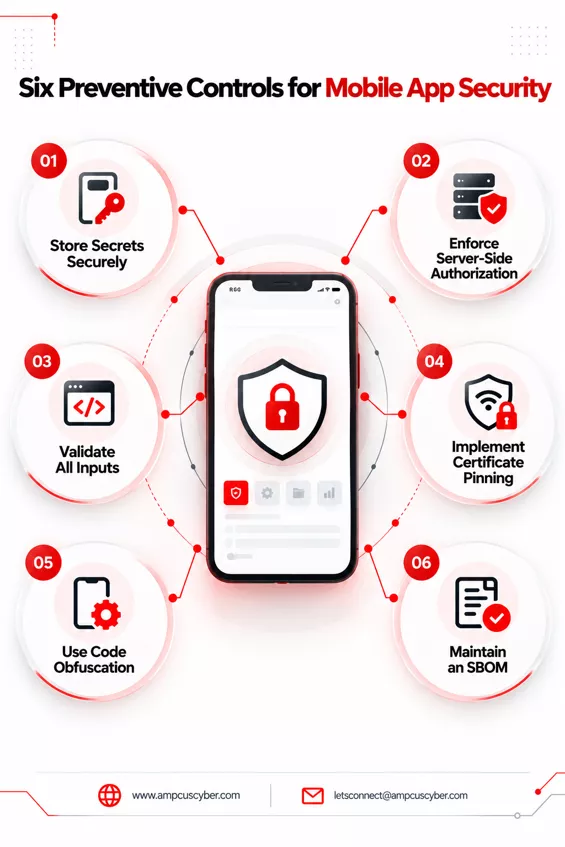
Organizations prevent most flaws by applying secure design reviews, storing secrets in platform keystores, enforcing authorization on the server, and validating all input outside the app. High-risk apps should also use certificate pinning, code obfuscation, and root or jailbreak detection to slow down reverse engineering. Teams should keep dependencies current by maintaining a software bill of materials for every release. Fixes should be prioritized by exploitability and data sensitivity, with a named owner and a due date for each finding, so that leadership can see risk reduction over time.
| Connect with Ampcus Cyber through our Contact us page to schedule a Mobile and Web Application VAPT assessment for your Android and iOS applications. |
People Also Ask
Is mobile app security different from web app security?
Yes, because mobile apps run code on user devices that attackers control, while web apps keep most logic on servers. Mobile testing therefore adds checks for local storage, binary protections, and platform features.
What is OWASP MASVS?
OWASP MASVS is the Mobile Application Security Verification Standard, which defines security requirements for Android and iOS apps across areas such as storage, cryptography, and network communication.
How long does a mobile app penetration test take?
Duration depends on app size, supported platforms, and the number of APIs, and a focused test often runs between one and three weeks.
Can automated scanners replace manual mobile app testing?
No, because scanners detect known patterns, while manual testers uncover business logic flaws and chained attacks that automated tools overlook.
Enjoyed reading this blog? Stay updated with our latest exclusive content by following us on Twitter and LinkedIn.